
Design of Digital Control Systems with Deadbeat Response and Other Controllers 
Procedure
Steps to perform the simulation
- Enter the values of the Mechanical system parameters.
- Click on 'State Space Model' button to get the continuous state space form of the system.
- Click on 'Discrete State Space Model' button to get the discrete state space form of the system.
- Click on 'Check for Controllabilty' button to get check the controllability of the system.
- Click on the 'Rank' or 'Determinant' or "Inference' buttons to get the the Controllability test.
- Click on 'Design' dropdown button and select the desired option for the design.
- Click on the 'Run' button to run the selected design.
- Click on ' Enter the Pole Location' button to enter the desired pole values for state feedback method.
- Click on ' Desing' button to get the gain values for the state feedback method.
- Click on 'Clear' button to enter the new parameter values of the system.
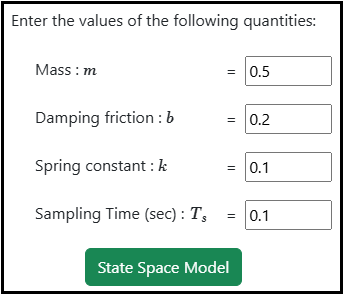
Fig. 1. Parameter values of the Mechanical system
Fig. 2. Button to get the state Space form of the system
Fig. 3. Button to get the discrete state Space form of the system
Fig. 4. Button to check the controllability of the system
Fig. 5. Button to get Rank, Determinant, Inference of the Controllability test
Fig. 6. Dropdown button for selecting the required design option
Fig. 7. Run button to calculate the selected design

Fig. 8. Button to enter the desired pole values

Fig. 9. Button to design gain values