
Control Design via Pole Placement for an Inverted Pendulum on a Cart with Pre-Compensator Design 
Procedure
Steps to perform the simulation
- Enter the parameter values of the Inverted Pendulum on cart.
- Click on 'State Space Model' button to get the state space form of the system.
- Click on ' Enter the Pole Location' button to enter the desired pole values.
- Enter the desired pole values.
- Click on 'Design' button for calculating the state feedback gain and pre-compensator gain values.
- Click on the 'Rank' or 'Determinant' or "Inference' or ' Gain Values' buttons to get the the Controllability test information and gain values.
- Click on the 'Type of Response' dropdown button to select the required response in the simulation.
- Enter the required values and click on the 'Closed Loop Response' button to generate the plot.
- Note: Enter the initial position value between -10 m to +10 m and enter the initial angle value between -6 ° to +6 ° (as per the practical experiment point of view). Click on the "Closed Loop Response" button.
- Click on 'Download' button to download the plot.
- Click on 'Clear' button to enter new parameter values for the system.
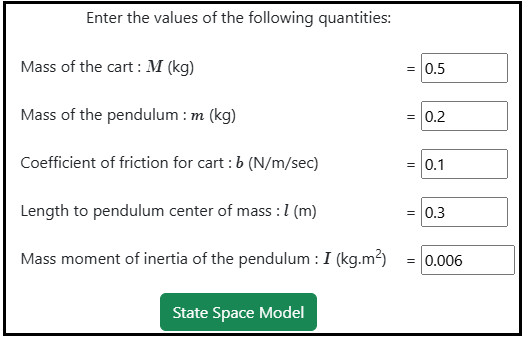
Fig. 1. Parameter values of the Inverted pendulum on cart

Fig. 2. Button to get the state Space form of the system

Fig. 3. Button to enter the desired pole values
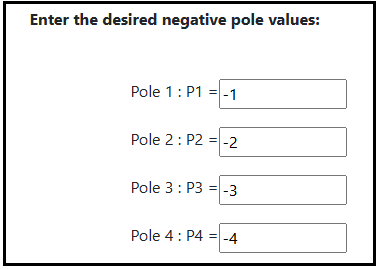
Fig. 4. The desired pole values

Fig. 5. Button to calculate the state feedback and pre-compensator gain values
Fig. 6. Rank, Determinant, Inference and Gain Values of the Controllability test and feedback gain with pre-compensator information
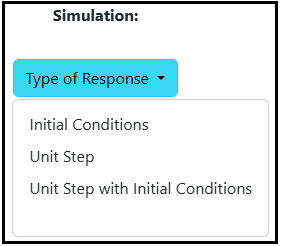
Fig. 6. Selection of Response Type for Simulation

Fig. 7. Closed Loop Response button to get the plot